
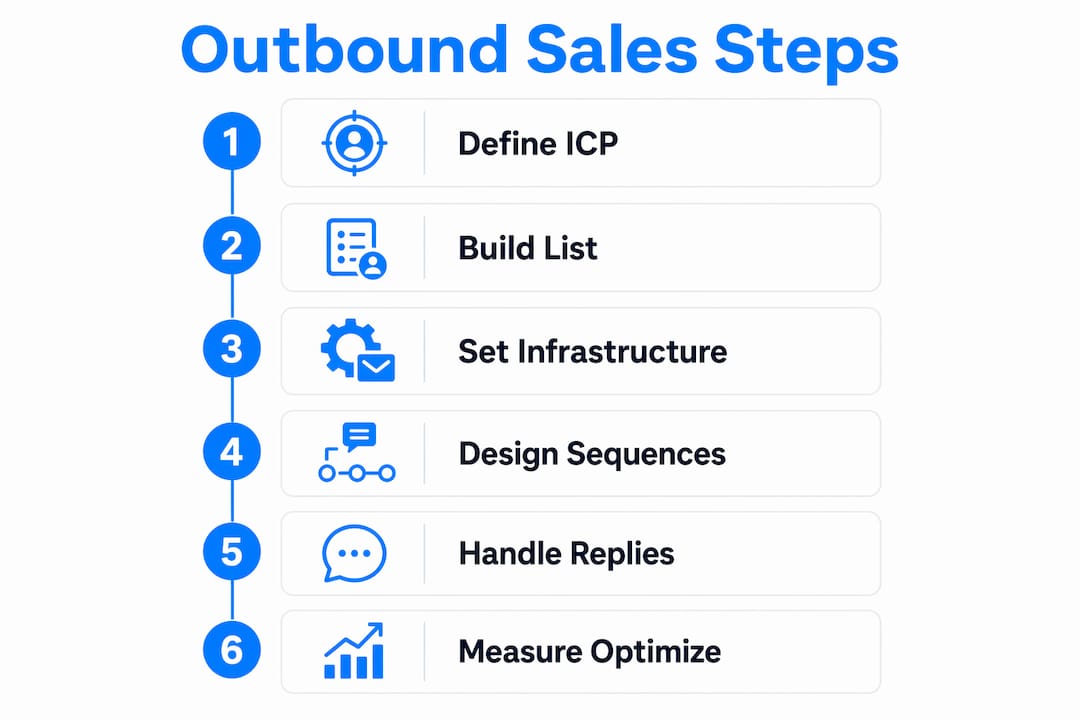
An outbound sales workflow is a repeatable, structured system that moves prospects from first contact to booked meeting through defined steps, channels, and decision points. Most teams skip the structure and jump straight to sending. That's why their reply rates stay flat. Building an outbound sales workflow requires six foundational components working together: a defined Ideal Customer Profile (ICP), a verified prospect list, sending infrastructure, targeted messaging, a multi-touch sequence, and a measurement layer. Get all six right, and you have a process that compounds. Miss one, and the whole system leaks.
What are the build outbound sales workflow steps you need first?
Before you write a single message, you need to lock down three things: who you're targeting, where your data comes from, and how your emails reach the inbox. These are the prerequisites. Skipping them is the most common reason outbound campaigns fail in the first two weeks.
Define your ideal customer profile
Your ICP is the foundation of the entire workflow. It defines the firmographics (industry, company size, revenue), technographics (tools they use), and pain triggers (what problems they're actively trying to solve) that make a prospect worth contacting. Targeting is the most critical success factor and must be precise before any message goes out. A vague ICP produces a bloated list and a low reply rate.
Go beyond job title and industry. Ask: what does this company need to be experiencing right now for your solution to matter? A SaaS company that just raised a Series B and is hiring SDRs is a different prospect than one in a hiring freeze, even if they share the same job title and vertical.
Build and verify your prospect list
Once your ICP is defined, build your list using tools like Apollo, ZoomInfo, or Clay. Each pulls contact data at scale, but raw data is never clean. Verify emails before sending using a tool like NeverBounce or Zerobounce to keep your bounce rate under 3%. A bounce rate above that damages your sender reputation fast.

Pro Tip: Import LinkedIn Sales Navigator searches directly into your outreach platform to pre-qualify prospects by recent activity, not just static firmographic data.
Set up your sending infrastructure
Sending from your primary domain at volume is a fast way to get it blacklisted. Use secondary domains that mirror your brand (think yourcompany-hq.com or getyourcompany.com) and warm them up over three to four weeks before sending campaigns. Scaling send volume safely means separating per-mailbox sending limits from overall recipient volume and using multiple warmed domains and mailboxes. Keep each mailbox under 30 to 50 emails per day. This protects inbox placement and makes your workflow repeatable as you grow.
Teams that rush this step often see deliverability collapse after week two. The fix is always the same: slow down, warm up, and then scale.
How do you design effective multi-touch outbound sequences?
A single email is not a campaign. An effective outbound sales strategy requires multiple touches across multiple channels, timed to match how real buyers behave. Outbound cadences with 8–12 touches over 14–21 days spanning email, LinkedIn, and phone maximize engagement without burning out your list.
Here's a practical touch structure you can adapt:
- Day 1: First email. Lead with a specific pain point tied to their role or company situation. Keep it under 100 words.
- Day 3: LinkedIn connection request with a short, personalized note. No pitch yet.
- Day 5: Follow-up email. Add a short case study or social proof reference.
- Day 8: LinkedIn message. Reference the email thread or a piece of their recent content.
- Day 12: Value email. Share a relevant resource, insight, or benchmark they can use.
- Day 14: Phone call attempt. Leave a voicemail if no answer.
- Day 18: Final email. Reframe the value prop from a different angle.
- Day 21: Breakup message. Short, direct, and low-pressure.
The channel mix matters. Email alone gets ignored. LinkedIn alone feels disconnected. Phone alone feels cold. Together, they create the impression of a real person paying attention.
Pro Tip: Don't run fixed sequences. Conditional multi-channel sequences that swap channels and messaging when engagement stalls outperform linear follow-ups every time. If a prospect opens your email three times but never replies, that's a signal to shift to LinkedIn, not send another email.
| Touch | Channel | Message Focus |
|---|---|---|
| Day 1 | Pain point hook, short and specific | |
| Day 3 | Connection request, no pitch | |
| Day 5 | Social proof or case study | |
| Day 8 | Engagement or content reference | |
| Day 12 | Value-add resource or insight | |
| Day 14 | Phone | Voicemail with clear callback reason |
| Day 18 | Reframed value proposition | |
| Day 21 | Low-pressure breakup message |
What reply handling processes actually convert leads?
Most teams celebrate a reply and then fumble the follow-through. Reply handling is a core part of the sales machine, not an afterthought. Without explicit reply workflows, even a strong reply rate won't convert into pipeline. Every reply type needs a mapped response and a CRM action.
Here are the five reply categories you need to plan for:
- Positive interest: Prospect wants to learn more or book a call. Route immediately to an AE or calendar link. SLA: respond within one hour.
- Wrong person: They've forwarded you or told you to contact someone else. Update the contact record, add the new name, and start a fresh sequence.
- Info request: They want a deck, case study, or pricing overview before committing. Send the asset and set a follow-up task for 48 hours later.
- Not now: They're interested but the timing is off. Log the reason, tag the contact, and set a re-engagement date 60 to 90 days out.
- Unsubscribe: Remove immediately from all sequences and suppress across your entire database.
Lead routing with deduplication, account matching, and workload balancing reduces misrouted leads by 30–40% and lifts reply rates up to 25%. That's not a marginal gain. It's the difference between a workflow that builds pipeline and one that leaks it.
Set strict SLA timers in your CRM. A positive reply that sits unanswered for four hours is a lost opportunity. Automate escalation so that if a rep doesn't act within the SLA window, a manager gets flagged.
How do you measure and optimize outbound workflow performance?
You can't fix what you don't measure. The right metrics tell you exactly where your workflow is breaking down, whether that's targeting, messaging, or follow-through.
Open rates are a vanity metric because privacy protections inflate them. Focus on reply rate, positive reply rate, and meeting booked rate instead. These three numbers tell you whether your targeting is right, your messaging is resonating, and your process is converting.
| Metric | Benchmark | What It Tells You |
|---|---|---|
| Reply rate | 5–10% solid, above 10% excellent | Whether your list and message are aligned |
| Positive reply rate | 2–4% solid | Whether your value prop is landing |
| Meeting booked rate | 1–3% of total contacted | Whether your full workflow converts |
| Bounce rate | Under 3% | Whether your data and infrastructure are clean |
Launch campaigns under 50 recipients per segment to collect early conversion data before scaling. This lets you identify the weakest layer in your workflow without burning your entire list. If your reply rate is low, the problem is usually targeting or the subject line. If your positive reply rate is low but overall replies are decent, the messaging body needs work. If meetings aren't booking despite positive replies, the handoff process is broken.
Fix one layer at a time. Scale only the sequences that are working. Kill underperforming ones without hesitation. Weekly CRM reviews with your team keep everyone aligned on what's moving and what's stalling.
Key takeaways
An effective outbound sales workflow requires six layers working together: targeting, data, infrastructure, sequences, reply handling, and measurement.
| Point | Details |
|---|---|
| ICP precision drives everything | Define firmographics, technographics, and pain triggers before building your prospect list. |
| Infrastructure must come before outreach | Warm secondary domains for 3–4 weeks and keep each mailbox under 50 emails per day. |
| Multi-touch sequences outperform single emails | Use 8–12 touches over 14–21 days across email, LinkedIn, and phone for best results. |
| Reply handling needs branch logic | Map every reply type to a CRM action and enforce SLA timers to protect conversion rates. |
| Measure reply rate, not open rate | A 5–10% reply rate is solid for B2B; open rates are inflated by privacy tools and mislead optimization. |
Where most outbound workflows break down
I've reviewed a lot of outbound setups over the years, and the failure point is almost never the messaging. Teams spend hours crafting the perfect email and zero time on their sending infrastructure or reply handling. Then they wonder why a 15% open rate produces zero meetings.
The real issue is sequencing the work correctly. You can't write great messages for a vague ICP. You can't scale a campaign on a cold domain. And you can't convert replies you're not routing properly. These aren't optional steps. They're load-bearing walls.
The other thing I'd push back on: most teams treat their outbound workflow as a one-time build. They set it up, run it for a quarter, and then wonder why results decay. Outbound is a living system. Your ICP shifts as your product evolves. Your messaging gets stale as competitors copy it. Your data degrades at roughly 25–30% per year as contacts change roles. You need a quarterly review cycle built into the workflow itself, not just the outreach.
The teams I've seen get real, compounding results from outbound are the ones who treat measurement as seriously as messaging. They know their reply rate by segment, by channel, and by rep. They run small test batches before scaling. They kill sequences that aren't working without getting attached to the copy they wrote. That discipline is what separates a workflow that produces pipeline from one that produces activity reports.
— Christian
Let Deskflow handle the heavy lifting
Building and running an outbound workflow manually is time-consuming. Deskflow is an AI-powered platform built specifically for LinkedIn prospecting and outreach, and it handles much of the work automatically.
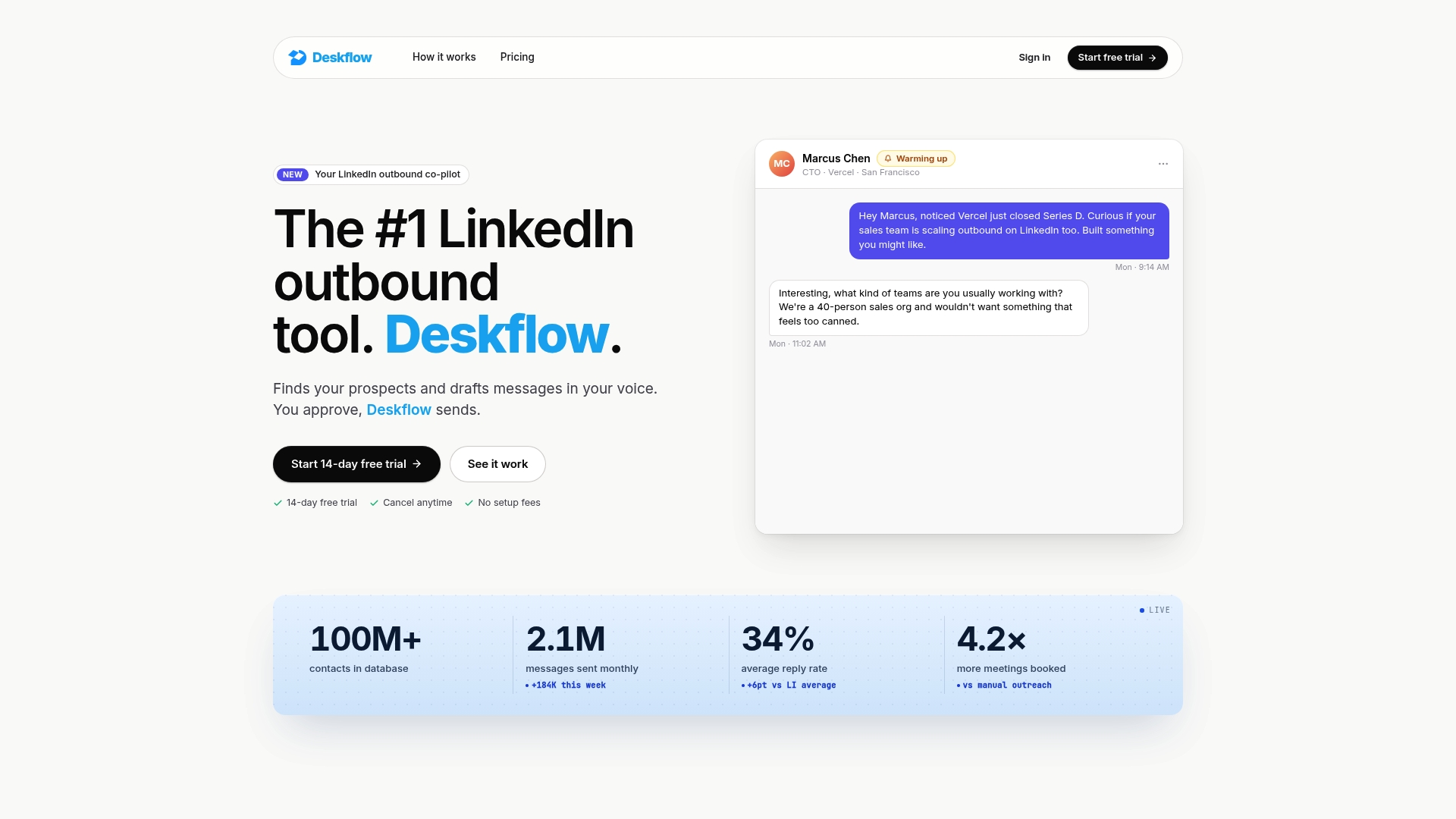
With Deskflow, you can import LinkedIn Sales Navigator searches, enrich contact data, generate personalized messages based on each prospect's LinkedIn profile and activity, and automate your follow-up sequences. All of it runs from one place, so your team spends less time on research and admin and more time in actual conversations with qualified prospects. If you're building or rebuilding your outbound process, Deskflow gives you a strong foundation to start from.
FAQ
What are the core steps to build an outbound sales workflow?
A complete outbound workflow includes six layers: ICP definition, prospect list building, sending infrastructure setup, messaging and sequence design, reply handling, and CRM-based measurement. Teams typically need 4–6 weeks to set up the workflow and 2–3 months to see predictable results.
How many touches should an outbound sequence include?
The recommended cadence is 8–12 touches over 14–21 days across email, LinkedIn, and phone. Fewer touches leave pipeline on the table; more touches beyond 21 days produce sharply diminishing returns.
What metrics should i track in an outbound sales process?
Track reply rate, positive reply rate, and meeting booked rate. A 5–10% reply rate is solid for B2B outbound, and above 10% is excellent. Open rates are unreliable due to privacy tools that inflate them automatically.
How do i handle replies without losing leads?
Map every reply type to a specific CRM action and set SLA timers for your team. Positive replies should get a response within one hour. "Not now" replies should be tagged and re-engaged 60–90 days later.
When should i scale my outbound campaigns?
Start with batches under 50 recipients per segment to validate your targeting and messaging. Scale only the sequences that hit your reply rate benchmarks. Kill underperforming sequences and fix the weakest layer before adding volume.