
Prospect engagement tracking is the process of measuring how prospects interact with your outreach across emails, links, and shared assets to sharpen follow-up timing and improve conversion rates. Sales teams that track prospect engagement in outreach campaigns move beyond vanity metrics like send volume and start connecting specific behaviors to pipeline outcomes. Cold email reply rates benchmark between 1.9% and 3.4%, with meeting booked rates between 0.5% and 1.2%. Those numbers tell you exactly how much signal you need to extract from every interaction. The industry term for this practice is outreach campaign analytics, and it covers everything from email open events to document forwarding behavior.
What tools and methods help you track prospect engagement in outreach campaigns?
The right technology stack separates teams that guess from teams that act on data. At minimum, you need a CRM, a sales engagement platform, and a web analytics tool working together.
CRM and sales engagement platforms
Salesforce and HubSpot CRM both log email activity, call notes, and deal stage changes. Sales engagement platforms like Outreach.io layer on top to automate sequences and capture reply data at scale. The combination gives you a record of every touchpoint per prospect, which is the foundation for any serious campaign performance analysis.

UTM parameters and Google Analytics 4
UTM parameters tag your outreach URLs with source, medium, campaign, content, and term labels. When a prospect clicks a link in your email and lands on your site, GA4 reads those tags and attributes the session to the correct campaign. Without UTM tagging, GA4 lumps that traffic into "direct," and you lose the attribution entirely.
Document and asset tracking tools
Email open tracking only tells you a message was opened. It says nothing about whether the prospect read your proposal, shared it with a colleague, or spent 12 minutes on the pricing page. Document tracking tools fill that gap by recording time on page, return visits, and forwarding events at the individual prospect level.
Here is a quick comparison of tracking layers and what each one captures:
| Tracking layer | What it measures | Depth of signal |
|---|---|---|
| Email open tracking | Message opens | Low |
| UTM link tracking | Site visits by campaign | Medium |
| Unique tracked links | Time on page, return visits, forwarding | High |
| CRM activity logs | All touchpoints per prospect | High |
| Real-time alerts | Instant engagement notifications | High |
- Set up UTM parameters before launching any campaign, not after.
- Use one unique tracked link per prospect, not a shared link for the whole campaign.
- Connect your sales engagement platform to your CRM so reply data syncs automatically.
- Enable real-time notifications so your team knows the moment a prospect re-engages.
Pro Tip: Create a naming convention for UTM parameters before your first campaign. Inconsistent labels like "LinkedIn" and "linkedin" create separate rows in GA4 and break your reporting.
How do you measure and analyze key prospect engagement metrics?
Metrics only matter when you know what they mean and what to do when they drop. The goal is to build a multi-step view of your funnel, not just track opens.
The core outreach metrics
The multi-step pipeline breaks down like this: reply rate, positive reply rate, meeting booked rate, meeting attendance rate, and meeting-to-qualified-opportunity conversion. Each step isolates a different failure point. A high reply rate with a low meeting booked rate tells you your initial message works but your follow-up pitch does not.
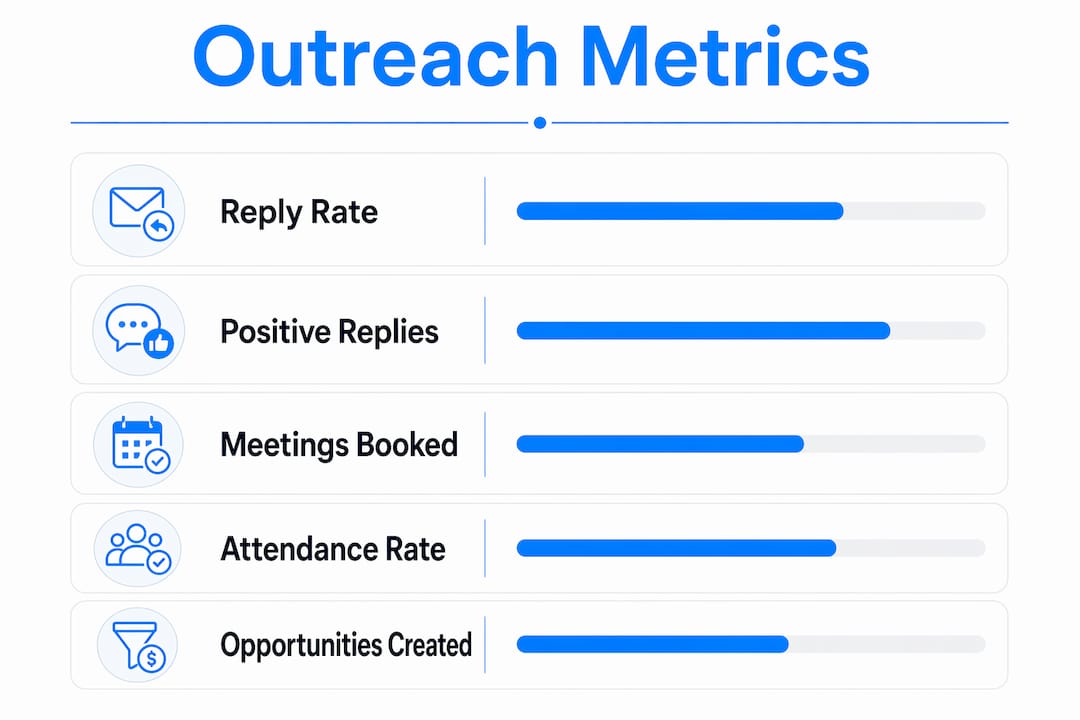
Here are the 2026 benchmarks you should measure against:
| Metric | Benchmark range |
|---|---|
| Reply rate | 1.9%–3.4% |
| Meeting booked rate | 0.5%–1.2% |
| Meeting-to-qualified-opportunity | 30%–40% |
GA4 engagement metrics and their limits
GA4 defines an engaged session as one that lasts longer than 10 seconds, contains a key event, or includes two or more pageviews. That OR-based logic means a prospect who passively scrolls for 11 seconds counts as engaged. The number can look healthy while actual intent is low.
GA4 engagement metrics should always be paired with conversion events that represent real intent, such as a demo request form submission or a pricing page visit. Engagement rate alone does not tell you whether a prospect is warming up or just browsing.
Reporting cadence
Weekly summaries keep your team aware of short-term trends. Monthly reviews tie those trends to pipeline movement. Quarterly analyses connect engagement metrics to revenue outcomes and inform budget decisions. Running only monthly reports means you miss the week a campaign breaks and waste three more weeks sending into a dead sequence.
- Track cost-per-booked-meeting and cost-per-qualified-opportunity alongside volume metrics.
- Flag any week-over-week reply rate drop above 20% for immediate review.
- Separate positive reply rate from total reply rate. Unsubscribes count as replies in many platforms.
Pro Tip: Build a simple dashboard in your CRM that shows reply rate, meeting booked rate, and meeting-to-opportunity conversion side by side. Seeing all three at once makes funnel gaps obvious in under 30 seconds.
What are the best practices for acting on prospect engagement signals?
Knowing what to track is half the job. Acting on those signals at the right moment is where most teams fall short.
-
Audit your CRM data first. Dirty data produces misleading metrics. Before you launch a new sequence, remove duplicate contacts, verify email addresses, and confirm that deal stages are current. A clean CRM is the prerequisite for accurate prospect interaction tracking.
-
Set up UTM parameters for every outreach asset. Tag every link in every email with a consistent UTM structure. This applies to case study PDFs, landing pages, demo booking links, and video URLs. No UTM tag means no attribution.
-
Generate unique tracked links per prospect. Unique tracked links let you see exactly which prospect spent time on your proposal and how many times they returned. Shared links only give you aggregate counts, which are useless for prioritizing individual follow-ups.
-
Enable real-time engagement alerts. Real-time notifications triggered by asset opens or return visits let your SDRs follow up while the prospect's interest is still active. A follow-up sent within minutes of a re-engagement event lands in a completely different context than one sent two days later.
-
Interpret behavioral signals, not just clicks. Time on page, return visits, and forwarding events are warming signals. A prospect who opens your proposal three times in one day and forwards it to a colleague is far more qualified than one who clicked a link once and bounced in four seconds. Prioritize your follow-up queue based on depth of engagement, not raw click counts.
-
Avoid relying on email opens alone. Open tracking is unreliable. Apple's Mail Privacy Protection pre-fetches emails and triggers open pixels regardless of whether the prospect actually read the message. Use open data as a weak directional signal, never as a primary metric.
Pro Tip: Set a follow-up trigger: if a prospect views your tracked asset for more than two minutes or returns a second time, move them to the top of your call list for that day. This single habit consistently improves connection rates.
How do you troubleshoot tracking gaps and improve campaign accuracy?
Even well-built tracking setups break. Knowing where to look saves hours of debugging.
The most common attribution problem in GA4 is missing or inconsistent UTM parameters. If a campaign URL is shared without tags, or if tags use inconsistent capitalization, GA4 creates separate entries and fragments your data. Audit your UTM strings monthly using GA4's Traffic Acquisition report and filter for "direct" traffic spikes that coincide with campaign launches.
Unique tracked links also break when they are not properly connected to CRM records. If a prospect's link is generated but not logged against their contact record, you lose the ability to trigger personalized follow-up. Build a workflow that automatically attaches the generated link to the prospect's CRM record at the moment of creation.
"Engagement rate is a useful signal, but it is not a conversion metric. Pair it with form submissions, demo requests, or pricing page visits before drawing conclusions about prospect intent." — MBADV Agency, GA4 Engagement Metrics Reference
Segmentation errors are another common pitfall. If your sequences mix cold prospects with warm referrals, your reply rate benchmarks will look inflated. Segment campaigns by prospect source and temperature before comparing metrics across sequences.
Finally, use the 2026 benchmark data to set realistic targets. A reply rate of 1.9% on a cold sequence is not a failure. It is the floor of normal. Teams that panic below 3% and rebuild their entire sequence every two weeks never accumulate enough data to see what actually works.
Key Takeaways
Tracking prospect engagement in outreach campaigns requires layered tools, multi-step metrics, and signal-based follow-up to convert data into pipeline.
| Point | Details |
|---|---|
| Layer your tracking tools | Combine CRM logs, UTM parameters, and unique tracked links for full funnel visibility. |
| Use multi-step metrics | Track reply rate, meeting booked rate, and opportunity conversion separately to isolate funnel failures. |
| Pair GA4 with conversion events | Engagement rate alone inflates easily. Add form submissions or demo requests to confirm real intent. |
| Act on behavioral signals fast | Real-time alerts on asset views and return visits let you follow up while prospect interest is highest. |
| Benchmark before you optimize | Cold email reply rates of 1.9%–3.4% are normal. Set targets against industry data, not gut feel. |
What I've learned from building outreach tracking from scratch
Most sales teams I've seen set up tracking backwards. They launch a campaign, get some replies, and then try to figure out what worked. By that point, the data is already fragmented and the UTM tags are inconsistent.
The shift that actually moves the needle is treating tracking as a prerequisite, not an afterthought. Before a single email goes out, the UTM structure is locked, the unique links are generated and logged in the CRM, and the alert rules are live. That 30-minute setup at the start of a campaign pays back in hours of follow-up efficiency.
The other thing I'd push back on is the obsession with email open rates. I've watched teams spend weeks A/B testing subject lines to improve open rates while their meeting-to-opportunity conversion sat at 15%, well below the 30%–40% benchmark. The problem was never the subject line. It was the discovery call. Multi-step metrics make that obvious immediately.
Real-time alerts changed how I think about timing. Following up within minutes of a prospect re-engaging with a tracked asset feels almost unfair. The prospect is literally looking at your material right now. That context makes the conversation warmer before you say a word.
— Christian
How Deskflow fits into your outreach tracking workflow
If you're running LinkedIn outreach and want your tracking and follow-up to work together without manual effort, Deskflow is built for exactly that.
Deskflow handles prospecting, personalized message generation, and automated follow-up sequences in one place. You can build targeted lists directly in the platform or import from LinkedIn Sales Navigator, and Deskflow manages the research and outreach automatically. That means your SDRs spend time on conversations, not on copy-pasting contact data or manually logging touchpoints. For teams looking to run LinkedIn outreach with cleaner pipeline visibility and less admin overhead, Deskflow is worth a close look.
FAQ
What is prospect engagement tracking in outreach campaigns?
Prospect engagement tracking is the practice of measuring how individual prospects interact with your emails, links, and shared assets during an outreach campaign. It covers metrics like reply rate, time on page, return visits, and meeting booked rate.
What reply rate should I expect from cold email outreach?
Cold email reply rates benchmark between 1.9% and 3.4% according to 2026 B2B outbound data. Meeting booked rates typically fall between 0.5% and 1.2%.
Why are unique tracked links better than shared campaign links?
Unique tracked links show you exactly which prospect viewed your asset, how long they spent on it, and whether they returned or forwarded it. Shared links only provide aggregate counts with no individual-level insight.
How does GA4 define an engaged session?
GA4 counts a session as engaged if it lasts longer than 10 seconds, includes a key event, or contains two or more pageviews. Because these conditions are OR-based, engagement rate can rise even with passive browsing behavior.
How often should I review outreach engagement metrics?
Weekly summaries catch short-term drops and sequence issues early. Monthly and quarterly reviews connect engagement data to pipeline and revenue outcomes for deeper campaign performance analysis.